Where do I put my access code to enroll in courses through my organization's Open School subscription?
Instructions for Open School group subscription participants on how to use and access code.
1. Go to education.ihi.org and log in
2. Once you are logged in, go to “Browse Catalog”

3. On the top of right hand side of page, you will see a box titled "Enter Access Code". Put your
code in that box and click "Submit":
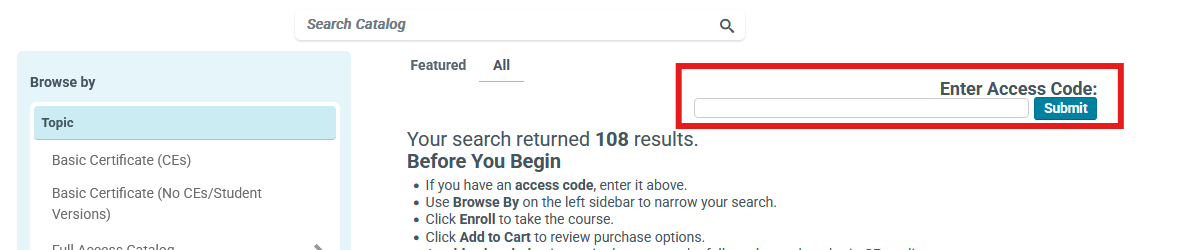
You will see a green bar on the top of the screen acknowledging your successful input.
Note: Please input your access code before attempting to enroll in a course.
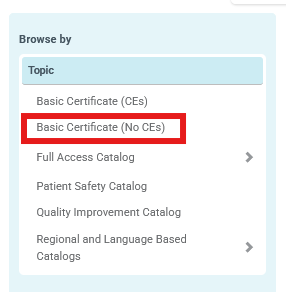
To filter your courses, select your subscription type from the 'Topic' box as shown in the image below.
Note: Students and Residents will chose the 'Basic Certificate Catalog (No CEs) if their organization did not purchase a Full Catalog group subscription.
4. After enrolling in a course, return to your Learning Center and click "launch" to begin the course
5. Enjoy your learning journey!
Watch video in fullscreen and/or view the transcript.