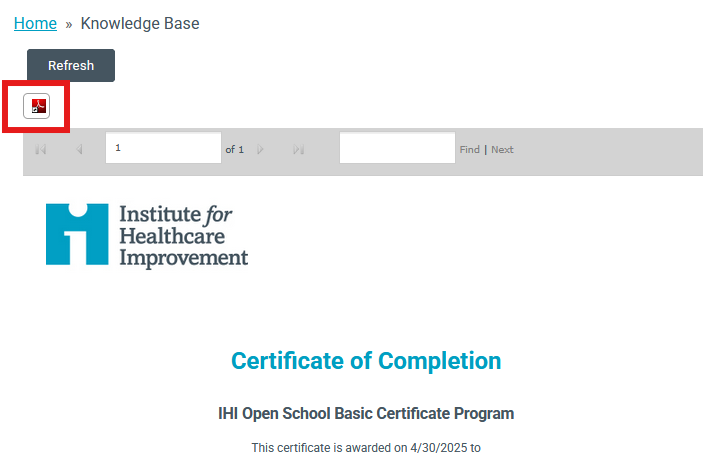
To complete the Basic Certificate Program, you will need to complete the full Basic Certificate Catalog. This includes all of the following courses: PS 101-105, QI 101-QI 105, PFC 101, TA 101, and L101.
In order to access these courses you will need to register for the appropriate Subscription.
Follow the Steps Below to Earn the Basic Certificate in Quality and Safety (If you have already completed the program and are looking for the certificate, skip to the below section "Claiming the Basic Certificate in Quality and Safety".
1. Logon at
https://education.ihi.org/topclass/
2. Select "Browse Catalog" from the Home screen.
3. Click on the Topic that is directly associated with the Subscription you have purchased.
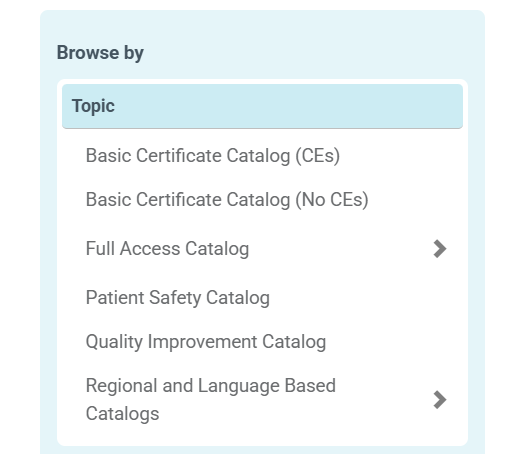
Note: This will bring up all the courses that are associated with your subscription type. Select "Enroll" for a course, It does not matter what order you take the courses in. (If the course says "Add to Cart" it is not available for your type of subscription. Please ensure you have selected the correct filter)
4. Once you click the enroll button, you will automatically be brought to your Learning Center. The course should now be listed underneath the "Current" tab of your Learning Center.
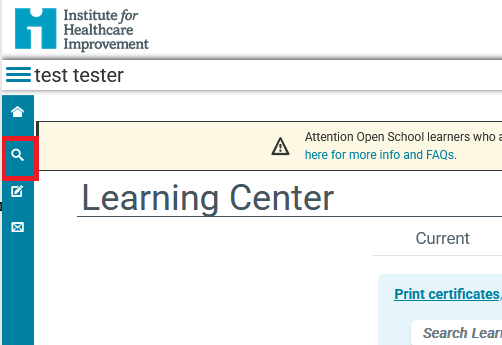
Note: To enroll in additional courses, you may navigate back to Browse Catalog by selecting the magnifying glass from the menu on the left.
5. Repeat steps 3 & 4 until all 13 courses are enrolled/completed.
* After completing all 13 courses, proceed to the steps below to claim your certificate.
Follow the Steps below to Claim your Certificate(s) for completed courses
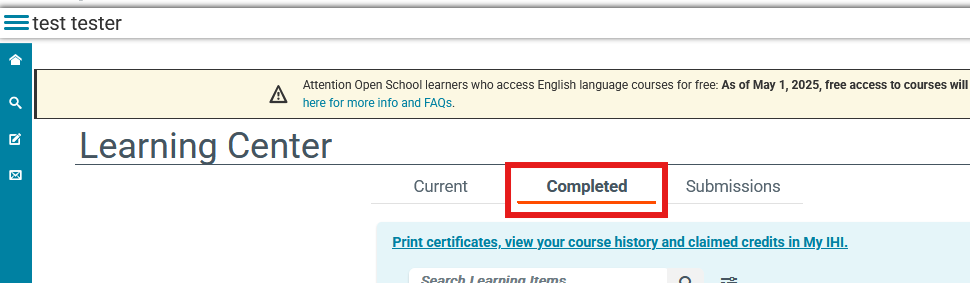
1. Navigate to the Completed tab of your Learning Center
2.
Individual course completion: After completing each individual course you may click on the "View Certificate" or "Claim Credit" button.
Note: The certificate type will reflect based on the Subscription you have.
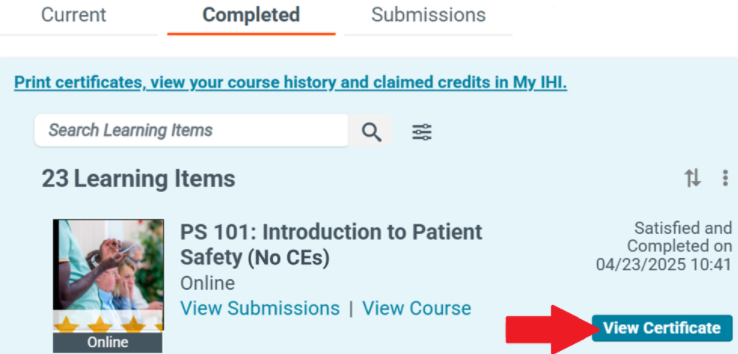
By selecting "View Certificate" It will generate a pdf certificate for you to print.
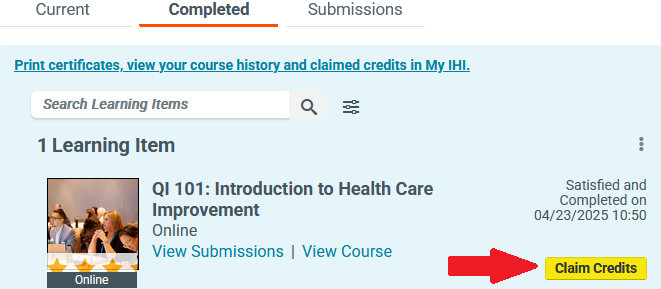
*All
claimable credits have accessibility up to 1 year after they are awarded. After
this allotted time has passed, they are no longer accessible to claim.
Open School 13-course series certificate
After completing the Open School 13-course series a 14th item will appear in your completed tab titled "Open School Basic Certificate English".
Scroll until you find this this and click "Claim Credits" button. After credit selection follow the prompts to generate a pdf certificate for print.
*Please note the Basic Certificate may not be the first thing that appears on your completed tab. You may have to scroll to find it. If you do not see this item, please verify that you have completed all 13 courses. (PS 101 - 105, QI 101 - 105, PFC 101, L101, TA 101)
1. If you are paid subscriber when claiming credits check the box to select the credit type. Click Submit. A pop-up will appear asking you to confirm your selection.
* You will only claim the credits that are directly associated with your position.
2. Return to your Learning Center.
3. For CE courses: To find your certificate, visit the Certificate Center or by clicking the link, "Print Certificates, view you course history and claimed credits in My IHI" located underneath the completed tab in the Learning Center.
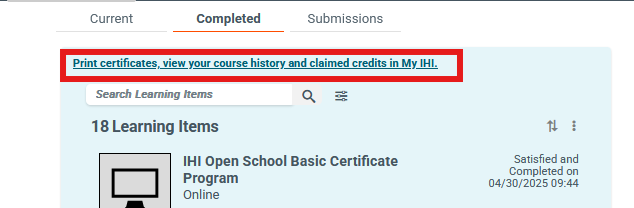
4. Once you have navigated to the Certificate Center, scroll down until you find the 'Open School' section. There you will see the certificate titled "Open School Basic Certificate English".
*Please note that the name of the certificate changed during the platform upgrade and the "Open School Basic Certificate English" is the same as the "Basic Certificate in Quality and Safety".
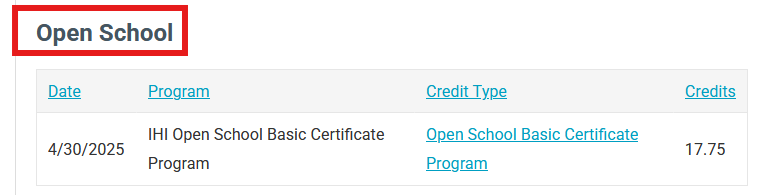
5. Click on the "Credit Type" to open the PDF version of your certificate.
6. On the following screen, click the button just above your certificate to download a PDF of your certificate.